Common Software Downloads
| Software Name | Download Link | Description |
|---|---|---|
| rufus | Click to download | SD card image flashing tool |
| balenaEtcher | Click to download | SD card image flashing tool |
| MobaXterm | Click to download | Remote access toolbox; the portable version can be installed |
| CH340 serial port driver | Click to download | CH340 serial port driver |
Flashing the HEX File to the OriginCar Pro Mainboard
- First, click the button below to download the OriginCarPro.hex file
Click to download OriginCarPro HEX
After downloading, you will get a Hex file and the FlyMcu software used to flash the Hex file.
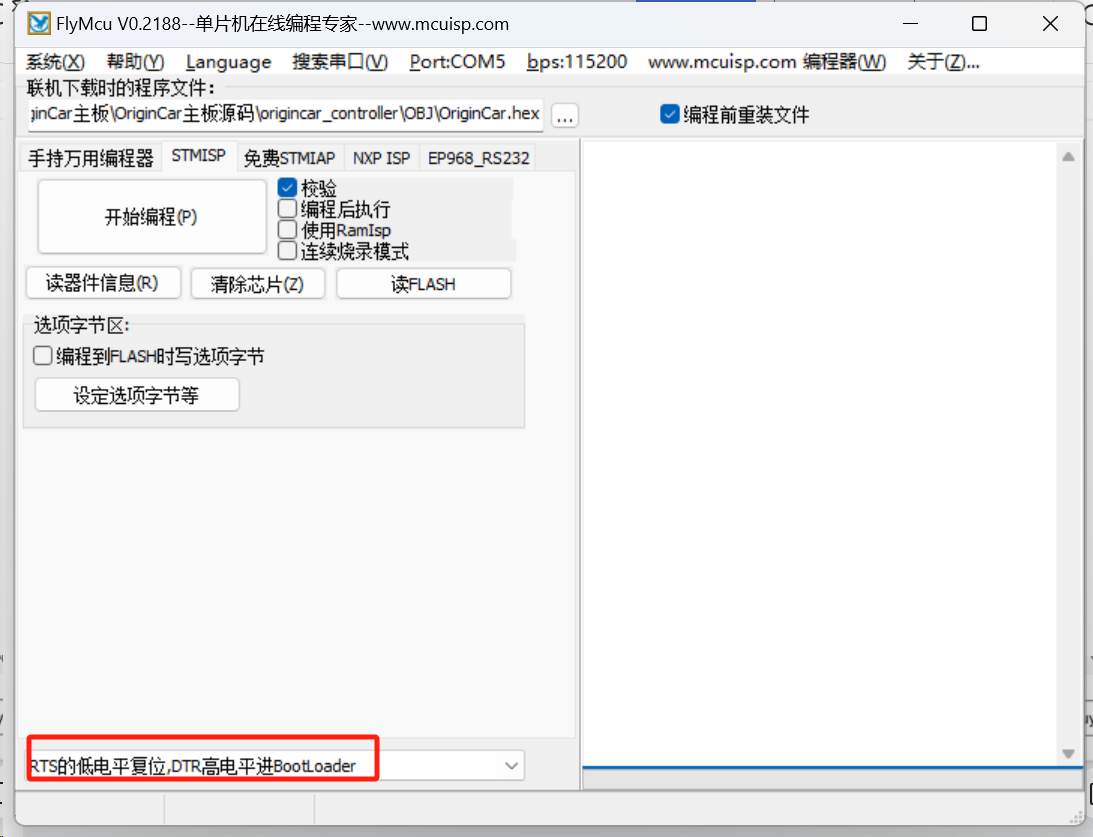
- Open the FlyMcu2188 software and configure it with the following options
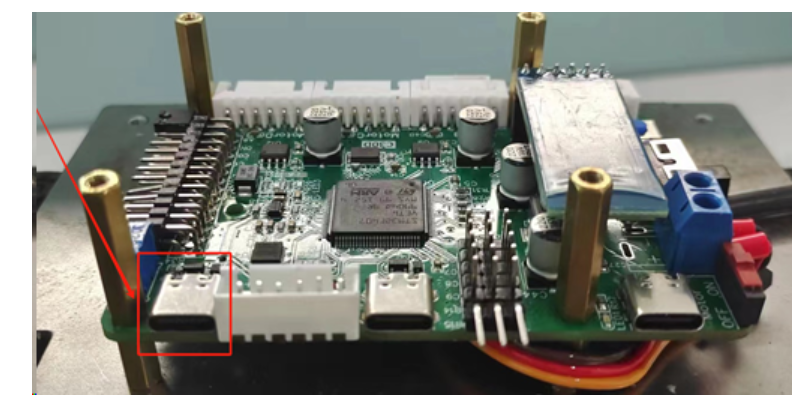
- Connect the PC to the OriginCar Pro mainboard. The program flashing port on the mainboard has been introduced above, as shown in the following figure
- When flashing the program, press the reset button on the OriginCar Pro mainboard to execute it. After the flashing succeeds, you can see the light strips on both sides of the OriginCar Pro light up.
